



















Hard Drives
-
 IN STOCKLenovo 4XG7A14812 processor 2.1 GHz 11 MB Smart Cache
Brand: Lenovo SKU: 4XG7A14812 Condition: NEW €693,69 -
 IN STOCKHPE P04560-B21 internal solid state drive 2.5" 480 GB Serial ATA III MLC
Brand: HPE SKU: P04560-B21 Condition: NEW €507,32 -
-
 IN STOCKHPE 801888-B21 internal hard drive 3.5" 4000 GB Serial ATA III
Brand: HPE SKU: 801888-B21 Condition: NEW €224,09 -
-
 IN STOCKHPE 1TB 3.5" SATA III 3.5" 1000 GB Serial ATA III
Brand: HPE SKU: 861691-B21 Condition: NEW €189,04 -
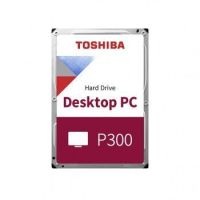 €188,21
 -
 IN STOCKHPE P19041-B21 memory module 16 GB DDR4 2933 MHz ECC
Brand: HPE SKU: P19041-B21 Condition: NEW €175,27 -
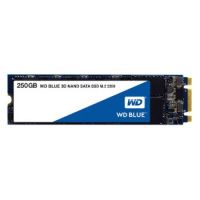 €167,44
 -
-
 IN STOCKADATA HD710 Pro external hard drive 2000 GB Black,Yellow
Brand: Adata SKU: AHD710P-2TU31-CYL Condition: NEW €149,29 -
 IN STOCKWestern Digital WDBC3C0020BBL-WESN external hard drive 2000 GB Black,Blue
Brand: Western Digital SKU: WDBC3C0020BBL-WESN Condition: NEW €134,48


Guide to Hard Disk Drives: Why Should You Consider Them in 2025
In this age of digital transformation, scalable, inexpensive, and compatible computer storage is key. Your storage must be expanded in line with your growing needs and it should be compatible with your existing computer systems. When it comes to upgrading your desktops or your laptops, you need to choose between Hard Disk Drives and Solid-State Drives. Though SSDs enjoy an edge over HDDs in terms of performance, speed, and capacity, however, HDDs have their own unique set of strengths. In this write-up, we are discussing every in and out of the Hard Disk Drives, including their working, their types, and specific uses where you should deploy them.
Are you ready to take a deep dive into the world of hard drives? Let's get started!
What is a Hard Disk Drive?
Plainly speaking, HDD is a non-volatile computer data storage. You can thus store data on it even when your computer is switched off. Hard Disk Drives are used extensively in laptops, desktops, mobile devices, and enterprise storage arrays in data centers.
Similar to other data storage solutions such as Solid-State Drives or SDDs, HDD is also used for storing data that can be retrieved later on. They store the following types of data:
-
OS or Operating Systems such as Windows, macOS, Linux, etc. These are complex software architectures that act as a bridge between hardware and users, enabling hardware parts to unleash their full capabilities.
-
Applications such as Google Chrome, Microsoft Office Suite, Adobe Reader, etc. These are also dubbed as programmes. You can either install them on your systems or they come as pre-installed applications.
-
Finally, files which are produced by applications such as .docx, .text, .pdf, .jpg, and more.
How Hard Disk Drives (HDDs) Work:
A Hard Disk Drive or HDD is made of two parts: a spinning platter and an actuator arm. Let’s discuss them one by one.
-
Spinning Platter:
It is a circular magnetic disk that contains tracks and sectors that are used to retain and store data. Spinning plater is hard, that’s why these storage devices are called as hard disk drives.
-
Actuator Arm:
This is a mechanical arm that moves across the spinner platter to read and write data on the hard drives. The tracks on the hard drives are divided further into sectors. Data is stored in each sector. When a hard drive is new or wiped, information can be stored sequentially, allowing the actuator arm to hunt information easily and quickly. However, over time, information or data is deleted or moved, and now information is laid out in fragments, making it hard for the actuator arm to hunt information. This leads to slower performance. To address this issue, you need to defrag (rearrangement of fragmented data on disk) the disk to store data sequentially.
Internal Hard Drives vs External Hard Drives:
The hard drives can be of two types: internal hard drives and external hard drives.
-
Internal Hard Drives:
As the name indicates, internal hard drives are located within the laptops or desktops. They are integrated with the system, providing the main storage site for Operating Systems, programmers/applications, or files.
Here are some top-rated internal hard disk drives:
-
External Hard Disk Drives:
External HDDs are separated from the main system, they are connected with the laptops or desktops with USB or other interfaces. External hard drives are used to provide additional storage solutions to backup data from computers, store large files such as 4K videos, and transfer files between the systems.
Here are some examples of the best available external hard drives in the market.
-
Seagate Portable Drive
-
Maxone 500GB Ultra Slim Drive
-
Silicon Power Portable External Hard Drive
-
WD Portable Gaming Drive
-
Samsung T5 Portable SSD
-
Toshiba Canvio Gaming Portable Drive
How to Choose the Best Hard Disk Drives in 2025:
Before you choose a hard drive to upgrade your system, you need to know how much speed you need and how much storage your system demands for uninterruptible productivity tasks. However, if you don’t know these factors, here are some in-depths that you read before making an ultimate decision.
-
SSD vs HDD:
When you explore options for storage solutions, you encounter two types of computer storage: HDDs and SSDs. Both of these types have a specific set of advantages and disadvantages.
SSDs don’t have moving parts. They use tiny gate transistors in the cell to store data. They don’t produce noise and can be stored for a considerable period of time. Unlike HDDs, they don’t break and you need to perform defogging and the like procedures.
However, SSDs are expensive. At the time of writing this piece, the average per GB cost for consumer SSD ranges from € 0.13 to € 0.5 per GB, whereas for enterprise and industrial SSDs, the cost can be as high as €2 per GB. You should also note that drive capacity, form factors such as M.2, a newer interface such as PCIe 4.0, and brand also influence the price range of SSD storage.
HDDs are inexpensive, they can cost somewhere between € 0.02 on the low end to € 0.05 on the high end per GB. However, factors such as drive capacity, 3.5″ desktop HDDs or 2.5″ notebook HDD form factors, PRP speed, cache size, and interfaces such as SATA also influence the price of hard disk drives. Overall, HDDs are cheaper than SSDs, and you should deploy them to meet your large-scale storage needs.
-
Interfaces:
HDDs are available in PATA and SATA interfaces. If you are looking to upgrade or repair an older or legacy system, you should go for the PATA interface. However, if your system has a SATA interface, you should choose SATA hard drives.
-
Cache Size:
Cache size is another consideration that you should look into. Normally, the larger the size, the better performance of the disk drives. Disk drives are available in varying cache sizes; some models come with as low as 2MB cache, and others can feature as high as 16 MB. Sometimes, manufacturers produce the same models with different cache amounts, written at the end of the model name. You also keep it in your mind before making an ultimate decision.
-
Transfer Speed:
Needless to say, transfer speed should be one of the decisive factors. The transfer speed is determined by two factors:
-
Technology Underlying Hard Drives
-
Connector Type
We have already discussed that SSDs can support higher data transfer between the devices, however, they are expensive and usually offer smaller drive capacity than HDDs. You should make a decision keeping these trade-offs in your mind.
The connector type is an important consideration. There are several standard options available when it comes to connecting your laptops/desktops/mobile with external hard drives. For instance:
-
USB 2.0 is an old connector type and the slowest one, supporting only up to a 480Mbps transfer rate, and the USB 2.0 ports are also not color-coded on PCs.
-
USB 3.0, USB 3.1 Gen1, and USB 3.2 Gen 1 are comparatively newer options, supporting up to 5 Gbps data transfer rate.
-
USB 3.1 Gen 2 and USB 3.2 Gen2 are some connector types, providing up to 10 Gbps transfer rate. The fastest among USB 3.2 connections is USB 3.2 2×2, which can provide up to 20 Gbps transfer speed.
-
USB-C ports are smaller and rounded, featuring a reversible connector. Combined with Thunderbolt 3 or Thunderbolt 4 protocol, they can support up to a 40 Gbps data transfer rate.
-
Finally, Thunderbolt NVMe SSDs support the fastest data transfer rate. For instance, the Samsung X5 is ranked as one of the fastest hard drives available in the market.
The Storage Capacity:
Undoubtedly, the storage capacity of the hard disk drive is the foremost priority for any buyer. It is not always good to look for bigger and bigger sizes as large storage leads to slower performance and higher cost per Gigabit. You should strike a balance. Here are some recommendations in this regard.
-
If you are looking for an external storage device intending to transfer photos and large-sized documents, a USB flash drive such as Corsair Survivor Stealth should be your choice. With a 64 GB storage capacity, it can meet your ordinary needs easily.
-
If you need terabyte storage and aren’t concerned about speed, Western Digital's My Passport Ultra can help meet your needs.
-
For ultimate capacity with enterprise-grade performance, you should go for the Western Digital My Book Duo 24TB - Black .
Having discussed the basics, we now address other queries related to hard drives.
Best External Hard Disk Drives for Macs:
Mac supports both external SSD and HDD drives. You can connect them to a Mac with USB-C, USB, or Thunderbolt ports. When it comes to the best external hard drive for Macs in 2025, here is a list you can check before making a final decision:
-
SanDisk Professional G-Drive ( 500GB, 1TB, 2TB, and 4TB)
-
OWC Express 1M2
-
SanDisk Professional G-DRIVE ArmorATD ( up to 5 TB)
-
Netac ZX20 ( up to 1 TB)
-
SanDisk Professional G-DRIVE Desktop ( up to 22 TB)
Best Hard Disk Drives for Windows:
Here is a list of highly recommended HDDs for Windows-based PCs and laptops.
-
WD Elements Portable
-
UnionSine Ultra Slim
-
WD My Passport Ultra
-
Seagate FireCuda Gaming
-
Seagate Expansion
-
LaCie Rugged Mini
Wrapping Up:
Choosing the right hard disk drive is a critical decision as it can cause consequences for the performance and speed of your system. You need to make sure that the hard disk drive is secure and reliable, helping you protect your sensitive data for a longer period of time. Similarly, connection types and technology are also of paramount importance, you should look for hard drives with SB 3.2 Gen 2x2 USB Type-C or Thunderbolt 3 or 4 for the fastest data transfer rate.
We do hope that this write-up has helped you gain some understanding regarding hard drives and their types. We are looking forward to receiving your feedback to make our blogs more productive, informative, and engaging. Thanks for your reading.